Showing posts with label text. Show all posts

Monday, December 23, 2019

Another Year in France (Consulting Again)

It's that time of year - time for a recap of what I've been up to!

NLP and Toxic Speech

I spent a year after I left my teaching gig doing remote consulting for a London-based startup.  I was lead data scientist doing NLP, primarily working on toxic speech detection in game chat.  We used a mix of keyword-based approaches, SpaCy models, and neural nets (pytorch and later tensorflow, for speed).  I wrote a lot of Spark code.   In the course of this work, I labeled a lot of chat data myself and became convinced this is an almost unsolvable problem that will always require human-in-the-loop moderation.

Talks I Gave / Personal Projects

Every time someone invites me to speak, I use it as an opportunity to finish a personal project and talk about it.  Sometimes it's a learning project (like "learn about the state of the art for summarization") and sometimes it's an artistic or data vis project.  So, invite me at your own risk :)
  • Euro Python 2019 Invited Keynote and PyData London 2019 Keynote: I gave the same talk because they were less than a week apart. I did a data vis personal project, and showed some text vis/poetry generation apps. Lots of people said they enjoyed them tons.  Slides here.
  • PyData Warsaw invited keynote - I talked about summarization.  Slides here
  • EMAEE 19: Invited panelist on data vis, I spoke about big data and EDA (exploratory data analysis). Slides here.
  • Micro Macro Mesa Conf in Lyon (invited): I spoke about visualizing and generating poetry with VAE's (variational autoencoders), based on a project by Allison Parrish.  My slides (which need to be written up) are here.
Example generation of poem lines (red) from a VAE using a TSNE layout of training lines as guide.


Reboot of the TinyLetter "Things I Think Are Awesome"

I didn't feel very awesome during a lot of the toxic speech consulting, but I revived the newsletter this fall!  I added a poem, recipes, and tv shows to the latest edition.  It's all about recommendations.  My goal is to keep it positive, short, and tech-arty.  Join here

Current Consulting

I took a month off between gigs and primarily worked on text generation with VAEs.  I've started work again, splitting my time among 3 clients:  Google Arts and Culture in Paris (a possibly short-term contract on data analysis, NLP, and vis of museum assets), writing Python charting tutorials for Flowingdata, and generating poetry for the UK Dubai Pavilion 2020 (working with Kyle McDonald).

Design by Es Devlin (source link)

Next year, I will be a judge and speaker at the data visualization conference Malofiej 28 in March.  Come see me in Pamplona, Spain?  

Happy holidays, and a great 2020 full of inspiring creative tech and datasets to all!


Sunday, September 13, 2015

Knight Projects for the Year


I am installed in Miami for the academic year as a Visiting Knight Chair in the Journalism department; I've been busy (frantically, insanely busy) trying to put together class materials for the semester, grade stuff, produce talks and workshops, and keep up with Twitter.

As a nice benefit — or responsibility — I have project money to spend on activities or products that will improve the lives of the journalists of the future. Or of the now, if I do it right. Apart from some conference organization with Alberto Cairo, I'm thinking hard about how I'd like to spend that money. Here are a few things I tweeted about a week ago that I think would be of great benefit to data journalists, which don't yet exist fully:

"A few of my Wish List items for improving work, probably out of my project $ and scope:"

  1. "A data-wrangler tool like Trifacta, easy to get/use."
  2. "A customizable, comprehensive interactive vis lib with easy basics - like Vega 2 but maybe more baked? Vega in a year?"
  3. "A non-programming tool for visualization creation that outputs code you can tweak. Lyra, basically, baked."
  4. "A Shiny Server and similar paradigm for Python."
  5. "HTMLwidgets for Python -- we need one ring to bind them, or something. Soooo many attempts to make notebook vis graphics."
  6. "One more - tools/methods for making training and sharing entity recognizers easier. HUGE problem in text analysis."
A few of these tools are under active development in the University of Washington's Interactive Data Lab, particularly Vega and Lyra. (I recommend this video of Arvind Satyanaryan demoing Lyra at OpenVis Conf.) One, Trifacta, is a spin-off company and product from Jeff Heer (Director of the IDL) and student Sean Kandel, who created Data Wrangler. If you want to see some of the excellent tool future in the works at UW's IDL, Jeff Heer's keynote at OpenVis this year was outstanding.

And apparently there's more goodness in the works addressing my needs for IPython notebook interactive widgets in a sub-vega project on Github, pointed out by Rob Story), called ipython-vega right now. Also on the Python front, Rob Story suggests we might want to look at Pyxley from Stitchfix, but to me that still currently looks like a lot of programming and manual setup for a non-programmery analyst. Shiny apps are dead-simple for data analysts with a little gumption to throw up and share with folks right from their R Studio environment.

The future looks great about 5+ years out when all the grad students have finished and productized (or gotten significant coding support). But right now there is still a lot of pain, especially when you're trying to teach folks and recommend tools that are stable, documented, and tested (by people, not unit tests, although those too). Trifacta, of course, is not open-source. A competitor product, Alteryx, looks nice and has an academic license scheme but the non-academic version is $4K! Both for students and data journalists, enterprise level pricing for data wrangling tools is looking scary.

Aside on Entity Recognizers

Oh, a little note on the #6 item, entity recognition tools... Anyone who is trying to do named entity recognition (NER) in text files has a horrible slog getting good results. NER means things like looking up all the people, places, products, or companies in a text. It's hard because different strings are used to refer to the same things. To get results that are any good, especially on dynamic recent data (like news!), you need to train a recognizer with labeled text. (This is because the "out of the box" models and tools like Stanford NER etc. are almost always inadequate for what you really want.) The tools to do the labeling, and the labeling itself, pretty much suck. (Although I admit I haven't looked at the most recent one recommended to me by the Caerus folks.) I know a lot of grad students are suffering with this, when doing research on text in highly specific domains.

I'd love to see a marketplace for trained models customized for different domains, and easy-peasy tools for updating them and sharing improvements. I wish someone's NLP student would tackle this as a startup. Or, I suppose, I could do it with my project money and some help.

Instead, Text Analysis and Vis How-To's?

In the realm of things I can deliver that don't require a corporate team of developers, I'm thinking about doing an online repo ("book") of text analysis and visualization methods. This will be a combination of NLP and corpus analysis methods (in R and Python, I hope) as well as a handbook of visualization methods for text (with sample D3 code). The audience would be journalists with text to analyze, digital humanists with corpora, linguists wanting to get more visual with their work. Because my time is shockingly limited, I'll probably recruit an external helper with my project money to create code samples. If you've seen my epic collection of text vis on Pinterest and want to know "how do I make those?" I hope I'll be able to help you all.


How does this sound? Useful?

Any other ideas from folks out there? I'm chatting with my pals at Bocoup (Irene, Jim, Yannick) about other options for collaborations between us.


Local Workshops on Data Journalism Topics

One of my contributions to the local community at U of Miami is a series of workshops on topics hopefully of interest to data journalists (that I am qualified to teach). The first was a well-attended one on Excel Data Analysis (files here), and upcoming topics include:
  • Excel Charts and Graphs
  • Just What is Big Data (and Data Science) Anyway?
  • Intro to Web Analytics: A/B Testing and Tracking
  • Intro to Tableau
  • Python and R: What Are They Good For?
  • Text Mining with Very Little Programming
  • Visualizing Network Data

I'd like to do one on command line data analysis, and some more on Python and R tools, but am not sure yet where the group wants to go. Stay tuned for more links!

Tuesday, December 30, 2014

A Silly Text Visualization Toy


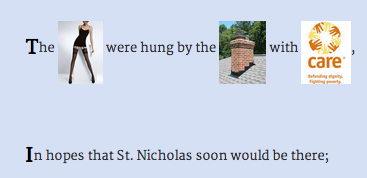
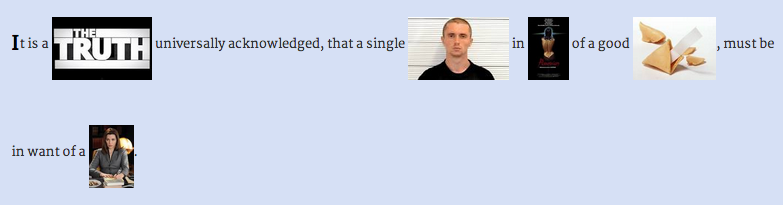
This little text-to-image replacement toy made me laugh, so I decided to put it up in case it makes you laugh too. In my last project, I did part-of-speech tagging in Python and used that to replace nouns with other nouns (see post and demo); in this one, I did the part-of-speech tagging all in Javascript using the terrific RiTa.js library!

With RiTa, you get the same slightly noisy results I got in the pattern.py tagging I did before: not all the nouns are good "nouns." The API for tagging is super easy:

>RiTa.getPosTagsInline("Silent night, holy night")
>"Silent/jj night/nn , holy/rb night/nn"

After generating the parts of speech, I filtered for just the nouns ("/nn" and "/nns"). I replaced those with words in "span" tags, and then used an ajax call to search for each spanned text in Google's image search API. The whole operation is outlined here, with the logic for getting the local text selected first:

$.when(
      $.get("texts/" + file_name, function (text) {
        lines = text.split('\n');
      })
    )
    .then(function () { 
      return processLines(lines);
    })
    .then(function (text) {
      $(".content").html(text);
    })
    .done(function () {
      $("span.replace").each(function (i, val) {
        getImage(val);
      });
    });


It turns out (of course) that there's a lot of repetition in certain words, especially for holiday songs and poems; so I introduced some random picking of the image thumbnails for variety.

Here's more from "Night Before Christmas" (which is really called "A Visit from St. Nick") -- yes, that's Microsoft Word:


This is the first sentence of Pride & Prejudice; it ends with the single man getting the Good Wife:


And the Road Not Taken:


I think the Night Before Christmas is the best one, but they all have their moments. Try it. Suggestions for other well-known (short) texts to try?

Saturday, November 22, 2014

Visualizing Word Embeddings in Pride and Prejudice

It is a truth universally acknowledged that a weekend web hack can be a lot of work, actually. After my last blog post, I thought I'd do a fast word2vec text experiment for #NaNoGenMo. It turned into a visualization hack, not too surprisingly. The results were mixed, though they might be instructive to someone out there.

Overall, the project as launched consists of the text of Pride and Prejudice, with the nouns replaced by the most similar word in a model trained on all of Jane Austen's books' text. The resulting text is pretty nonsensical. The blue words are the replaced words, shaded by how close a "match" they are to the original word; if you mouse over them, you see a little tooltip telling you the original word and the score.


Meanwhile, the graph shows the 2D reduction of the words, original and replacement, with a line connecting them:

The graph builds up a trace of the words you moused over, a kind of self-created word cloud report.


The final project lives here. The github repo is here, mostly Python processing in an IPython (Jupyter) notebook and then a javascript front-end. This is a blog post about how it started and how it ended.

Data Maneuvers

In a (less meandering than how it really happened) summary, the actual steps to process the data were these:

  1. I downloaded the texts for all Jane Austen novels from Project Gutenberg and reduced the files to just the main book text (no table of contents, etc.).
  2. I then pre-processed them to convert to just nouns (not proper nouns!) using pattern.py's tagger. Those nouns were used to train a word2vec model using gensim. I also later trained on all words, and that turned out to be a better model for the vis.
  3. Then I replaced all nouns inside Pride and Prejudice with their closest match according to the model's similarity function. This means closest based on use of words in the whole Austen oeuvre!
  4. I used a python t-SNE library to reduce the 200 feature dimensions for each word to 2 dimensions and plotted them in matplotlib. I saved out the x/y coordinates for each word in the book, so that I can show those words on the graph as you mouse over the replaced (blue) words.
  5. The interaction uses a "fill in the word cloud" mechanism that leaves a trace of where you've been so that eventually you see theme locations on the graph. (Maybe.) Showing all the words to start is too much, and even after a while of playing with it, I wanted them to either fade or go away--so I added a "clear" button above the graph till I can treat this better.

The UI uses the novel text preprocessed in Python (where I wrote the 'span' tag around each noun with attributes of the score, former word, and current word), a csv file for the word locations on the graph, and a PNG with dots for all word locations on a transparent background. The D3 SVG works on top of that (this is the coolest hack in the project, IMO--see below for a few more details).

Word Similarity Results

The basic goal initially was to take inspiration from the observation that "distances" in word2vec are nicely regular; the distance between "man" and "woman" is analogous to the distance between "king" and "queen." I thought I might get interesting word-swap phenomena using this property, like gender swaps, etc. When I included pronouns and proper nouns in my experiment, I got even limper word salad, so I finally stuck with just the 'NN' noun tag in the pattern.py ptag parser output. (You will notice some errors in the text output; I didn't try to fix the tagging issues.)

I was actually about to launch a different version--a model trained on just the nouns in Austen, but the results left me vaguely dissatisfied. The 2D graph looked like this, including the very crowded lower left tip that's the most popular replacement zone (which in a non-weekend-hacky project this would need some better treatment in the vis, maybe a fisheye or rescaling...):

Because the closest word to most words are the most "central" words for the model--e.g., "brother" and "family", the results are pretty dull: lots of sentences with the same words over-used, like "It is a sister universally acknowledged, that a single brother in retirement of a good man, must be in time of a man."

Right before I put up all the files, I tried training the model on all words in Austen, but still replacing only the nouns in the text. The results are much more interesting in the text as well as the 2D plot; while there is no obvious clustering effect visually, you can start seeing related words together, like the bottom:

There are also some interesting similarity results for gendered words in this model:

model.most_similar(['wife'])
[(u'son', 0.7893723249435425),
 (u'reviving', 0.7113327980041504),
 (u'daughter', 0.7054953575134277),
 (u'admittance', 0.6823280453681946),
 (u'attentions', 0.658092737197876),
 (u'warmed', 0.6542254090309143),
 (u'niece', 0.6514275074005127),
 (u'addresses', 0.6490938663482666),
 (u'proposals', 0.647223174571991),
 (u'behaviour', 0.6413060426712036)]

model.most_similar(['husband'])
[(u'nerves', 0.8918779492378235),
 (u'lifting', 0.7963227033615112),
 (u'wishes', 0.7679949998855591),
 (u'nephew', 0.7674976587295532),
 (u'senses', 0.7639766931533813),
 (u'daughter', 0.7601332664489746),
 (u'ladyship', 0.7527087330818176),
 (u'daughters', 0.7525165677070618),
 (u'thoughts', 0.7426179647445679),
 (u'mother', 0.7310776710510254)]

However, the closest matches for "man" is "woman" and vice versa. I should note that in Radim's gensim demo for the Google News text, "man: woman :: woman: girl," and "husband: wife :: wife : fiancée."

And while most of the text is garbage, with some fun gender riffs here and there, in one version I got this super sentence: "I have been used to consider furniture the estate of man." (Originally: "poetry the food of love.") Unfortunately, in this version of the model and replacements, we get "I have been used to consider sands as the activity of wise."

I saved out the json of the word replacements and scores for future different projects. I should also note that recently gensim added doc2vec (document to vector), promising even more relationship fun.

A Note on Using the Python Graph as SVG Background

To make a dot image background for the graph, I just plotted the t-SNE graph in matplotlib, like this (see the do_tsne_files function) with the axis off:

plt.figure(figsize=(15, 15))
plt.axis('off')
plt.scatter(Y[:,0], Y[:,1], s=10, color='gray', alpha=0.2)

After doing this, I right-clicked the inline image to "save image" from my IPython notebook, and that became the background for drawing the dots, lines, and words for the mouseovers. Using the axis('off') makes it entirely transparent except for the marks on top, it turns out. So the background color works fine, too:

#graph {
  position: fixed;
  top: 150px;
  right: 20px;
  overflow: visible;
  background: url('../data/pride_NN_tsne.png');
  background-color: #FAF8F5;
  background-size: 600px 600px;
  border: 1px #E1D8CF solid;
}

There was a little jiggering by hand of the edge limits in the CSS to make sure the scaling worked right in the D3, but in the end it looks approximately right. My word positioning suffers from a simplification--the dots appear at the point of the word coordinates, but the words are offset from the dots, and I don't re-correct them after the line moves. This means that you can sometimes see a purple and blue word that are the same word, in different spots on the graph. Exercise for the future!

I also borrowed some R code and adapted it for my files, to check the t-SNE output there. One of the functions will execute a graphic callback every N iterations, so you can see a plot of the status of the algorithm. To run this (code in my repo), you'll need to make sure you paste (in the unix sense) the words and coordinates files together and then load them into R. The source for that code is this nice post.

The Original Plan and Its Several Revisions

If I were really cool, I would just say this is what I intended to build all along.

My stages of revision were not pretty, but maybe educational:

  • "Let's just replace the words with closest matches in the word2vec model and see what we get! Oh, it's a bit weird. Also, the text is harder to parse and string replace than I expected, so, crud."
  • ...Lots of experimenting with what words to train the model with, one book or all of them, better results with more data but maybe just nouns...
  • "Maybe I can make a web page view with the replacements highlighted. And maybe add the previous word and score." (You know, since the actual text is itself sucky.)
  • ...A long bad rabbit hole with javascript regular expressions and replacements that were time-consuming for me and the web page to load...
  • "What if I try to visualize the distances between words in the model, since I have this similarity score. t-SNE is what the clever kids are using, let's try that."
  • "Cool, I can output a python plot and draw on top of it in javascript! I'll draw a crosshair on the coordinates for the current word in the graph."
  • "Eh, actually, the original word and the replacement might be interesting in the graph too: Let's regenerate the data files with both words, and show both on the plot."
  • "Oh. The 'close' words in the model aren't close on the 2D plot from the nouns model. I guess that figures. Bummer. This was kind of a dead-end."
  • Post-hoc rationalization via eye-candy: "Still, better to have a graph than just text. Add some D3 dots, a line between them, animate them so it looks cooler." (Plus tweaks like opacity of the line based on closeness score, if I do enough of these no one will notice the crappy text?)
  • Recap: "Maybe this is a project showing results of a bad text replacement, and the un-intuitive graph that goes along with it?"
  • "Well, it's some kind of visualization of some pretty abstract concepts, might be useful to someone. Plus, code."
  • ...Start writing up the steps I took and realize I was doing some of them twice (in Python and JS) and refactor...
  • "Now I still have to solve all the annoying 'final' details like CSS, ajax loading of text parts on scroll, fixing some text replacement stuff for non-words and spaces, making a github with commented code and notebook, add a button to clear the graph since it gets crowded, etc."
  • Then, just as I was about to launch today: "Oh, why don't I just show what the graph looks like based on a model of all the words in Austen, not just nouns. Hey, wait, this is actually more interesting and the close matches are usually actually close on the graph too!"

There were equal amounts of Python hacking and Javascript hacking in this little toy. Building a data interactive requires figuring out the data structures that are best for UI development, which often means going back to the data processing side and doing things differently there. Bugs in the vis itself turned up data issues, too. For a long time I didn't realize I had a newline in a word string that broke importing of the coordinates file after that point; this meant the word "truth" wasn't getting a highlight. That's one of the first words in the text, of course!

And obviously I replaced my word2vec model right at the last second, too. Keep the pipeline for experiments as simple as possible, and it'll all be okay.

Sunday, October 26, 2014

A Roundup of Recent Text Analytics and Vis Work

Some really exciting things in text analysis and visualization have crossed my Twitter feed recently; I thought I'd pull together some pointers in case you missed any of my tweetspam about one of my favorite subjects. Maybe posts like this will become a regular thing!

Shiffman's P5.js and Javascript Text Tutorials


Dan Shiffman, famous for his excellent books and lessons on Processing, is doing a course for ITP that includes a lot of text analytics work done in javascript and p5.js (the new javascript Processing lib). The git repo for his course content (code and tutorials) is here. He includes accessible content on TF-IDF, Markov chains, Naive Bayes, parsing, and text layout for the web.

Topic Modeling News


David Mimno updated Mallet, the Java reference package for LDA, with labeled LDA (topics within labeled documents) and stop word regular expressions. Blog post with some explanation here.

Alan Riddell released a Python implementation of LDA with an interface inspired by scikit-learn. He points to an interesting semi-supervised topic modeling package also in Python, zLabel-LDA.

I liked this paper by Maiya and Rolfe with ideas for improving labeling of topics as compared to using raw LDA results. (Every time I teach topic modeling I confront the "but what do these mean" question, and the notion of post-processing the results for more meaningful representation gets a pretty short answer, because we've usually run out of time.)

Here's a nice recent project release from Peter Organisciak for making timeseries charts of topics across digital books in the Hathitrust Digital archive. Full instructions for the python and R package. Here's a section of his example of some topic distributions across The Scarlet Letter:


Words in Space (Multidimensional Scaling)


I was rather excited when Mario Klingemann posted his evolving project on visualizing the topics of the images in the Internet Archive's Book Collection -- a giant zoomable map of related subjects crunched with t-SNE. The links open the related images collections on flickr (e.g., here's "playing cards"). If you like old book images, especially woodcuts, this is a trap you may never escape from! I got lost in occult symbols and finally had to shut the tab.


Related to topic modeling, Lee and Mimno posted a paper on drawing convex 2d (or 3d) hulls around "anchor words" to outline topics in their co-occurrence spaces, such as from t-SNE (t-Distributed Stochastic Neighbor Embedding) or PCA. From their paper:


Meanwhile, David McClure has an interesting post about creating something like these algorithms "by hand" and generating network diagrams from the results. (Thanks to Ted Underwood for passing this on.) Here's his hand-labeled map of War and Peace:


Other words-in-space multidimensional scaling projects of recent note include word2vec, which has a nice Python gensim implementation (see great blog post and demo by Radim Řehůřek);
and GloVe, which claims to improve on word2vec but looks similar to me from the usage perspective (here's a "maybe buggy" Python implementation). t-SNE also has implementations in lots of languages including Python and R, all listed on their page. Also see a nice overview explanation of word embeddings with t-SNE visual examples by Chris Olah here and his demo of dimensionality reduction and t-SNE here.


Narrative Vis


In a fascinating project on Visualizing.org, Georgia Panagiotidou and Anne Pasanen visualize the oscillation of characters between good and evil in the Finnish Kalevala epic. Really lovely and worth a browse in full screen.


Nick Beauchamp's Plot Mapper: Paste in a text and a complex PCA visualization reduces it to something amazingly simple. He says,

The text is chopped into N chunks, and each "chapter" is plotted in a 2-dimensional space (connected by lines) along with the top X words in the text. You can see how the trajectory of the text moves through the space of words, emphasizing different themes at different stages of the work.

Here's a surprisingly sweet Peter Pan:


Note: Keep options for words to generate low, or you may get an error. Thanks to David Mimno (@dmimno) for passing that one one!

Text Generator Art


Darius Kazemi (@tinysubversions) is doing NaNoGenMo (National Novel Generation Month) again this year - repo and rules here. Let's all work on text generation in November! Instead of, you know, actually writing that novel by hand, like an animal.

It was a few weeks ago, but it still makes me giggle - the Vogon Poetry Generator that uses Google Search to build something based on the title (which you can edit in-page).

Wrapping Up


I really love text visualization projects that combine great analytics with great applications. Keep sending me pointers (@arnicas on Twitter) and maybe I'll do more of these roundups when the awesome gets to me enough. For more inspirational links, try my Pinterest board of text vis, my twitter list of text vis, art, nlp folks (who talk about a lot of other things so YMMV), and this hopefully growing index of academic work from the ISOVIS folks.