Showing posts with label tech. Show all posts

Monday, December 23, 2019

Another Year in France (Consulting Again)

It's that time of year - time for a recap of what I've been up to!

NLP and Toxic Speech

I spent a year after I left my teaching gig doing remote consulting for a London-based startup.  I was lead data scientist doing NLP, primarily working on toxic speech detection in game chat.  We used a mix of keyword-based approaches, SpaCy models, and neural nets (pytorch and later tensorflow, for speed).  I wrote a lot of Spark code.   In the course of this work, I labeled a lot of chat data myself and became convinced this is an almost unsolvable problem that will always require human-in-the-loop moderation.

Talks I Gave / Personal Projects

Every time someone invites me to speak, I use it as an opportunity to finish a personal project and talk about it.  Sometimes it's a learning project (like "learn about the state of the art for summarization") and sometimes it's an artistic or data vis project.  So, invite me at your own risk :)
  • Euro Python 2019 Invited Keynote and PyData London 2019 Keynote: I gave the same talk because they were less than a week apart. I did a data vis personal project, and showed some text vis/poetry generation apps. Lots of people said they enjoyed them tons.  Slides here.
  • PyData Warsaw invited keynote - I talked about summarization.  Slides here
  • EMAEE 19: Invited panelist on data vis, I spoke about big data and EDA (exploratory data analysis). Slides here.
  • Micro Macro Mesa Conf in Lyon (invited): I spoke about visualizing and generating poetry with VAE's (variational autoencoders), based on a project by Allison Parrish.  My slides (which need to be written up) are here.
Example generation of poem lines (red) from a VAE using a TSNE layout of training lines as guide.


Reboot of the TinyLetter "Things I Think Are Awesome"

I didn't feel very awesome during a lot of the toxic speech consulting, but I revived the newsletter this fall!  I added a poem, recipes, and tv shows to the latest edition.  It's all about recommendations.  My goal is to keep it positive, short, and tech-arty.  Join here

Current Consulting

I took a month off between gigs and primarily worked on text generation with VAEs.  I've started work again, splitting my time among 3 clients:  Google Arts and Culture in Paris (a possibly short-term contract on data analysis, NLP, and vis of museum assets), writing Python charting tutorials for Flowingdata, and generating poetry for the UK Dubai Pavilion 2020 (working with Kyle McDonald).

Design by Es Devlin (source link)

Next year, I will be a judge and speaker at the data visualization conference Malofiej 28 in March.  Come see me in Pamplona, Spain?  

Happy holidays, and a great 2020 full of inspiring creative tech and datasets to all!


Sunday, October 28, 2018

Still in France, But On the Market Again!

After 2 years teaching at the business school, my classes had become very popular: hence, huge, and therefore tremendous work to grade and manage.  I left that position in October and have been consulting again since.  I'm still based in Lyon, but am entertaining offers of other locations and remote work!  I'm currently doing NLP data science consulting for a nice client based in London (SpiritAI).

Teaching

The past couple of years have been very busy: I created from scratch and taught a lot of classes, including:
  • a 3-week Python Bootcamp
  • a very popular Business Analyst Tools class (teaching Excel data analysis, SQL, and Tableau)
  • a couple variants of courses on Python data analysis with Pandas and NLP tools
  • a Python Flask-based web database programming short course
  • and a non-coding Introduction to Artificial Intelligence for business students.

The Introduction to AI was a non-programming course, in which I tried to round up or make videos, demos, and readings that would be accessible to a non-technical business student audience.  The need for materials that explain this technology in a non-pandering, but still accessible, format to a wide audience is huge. I have a blog post about that course permanently in draft format; the worst thing about that class is the materials have become almost immediately outdated in a year.  At least, the examples of state-of-the-art, demos, and business applications parts.

The possibility of making demos and showing off the capabilities of AI in the browser, thanks to TensorFlow.js and ml5.js, have changed the landscape for teaching this subject with gentle intro tools.  If you're willing to do the hacking work, of course, which I was/am!  Time allowing when grading and answering student emails about missing the quiz deadline.

OpenVis Conf 2018, in Paris!

While I was with the school, I also organized and co-chaired (with Arvind Satyanarayan) the program for OpenVis Conf in Europe for the first time!  It was more work than expected, due to the logistics of being out of Boston and in a foreign business climate, but the conference was largely deemed a success.  The videos are up on our web site.

We are thinking of taking a year off to re-group for the future of the conference, because I've left my academic job, Arvind just started teaching at MIT, and Irene Ros (founder of the conference) is also in a new job.

Writing About (Fun) Tech

In the past year, I wrote a number of articles either recapping conference talks I gave or hawking for OpenVis.  I used Medium rather than this blog, as you may have noticed.  My articles are here:

  • My AI-Art Talk for Resonate: A quick overview of some code-art-generator projects I wrote for a conference I never went to, using visuals and text to make a kind of visual poetry.

I also have an occasionally-ongoing series of posts and a newsletter about "Things I Think Are Awesome," which are online projects (usually) that are creative, interesting, make me smile, and distract me from politics right now.  You can find the Medium posts on my page and the tinyletter signup here.  I keep trying to cheer up enough to write another one, but it's been a tough year in politics and work.

Research Code Work & Talks

Some of my project work alone or with colleagues at the business school included:

  • Scraping french job ads to analyze the skills requested in the text (we stored in Mongo and then indexed in ElasticSearch for a web search interface).
  • Collecting Instagram and Twitter posts on various "brand" topics to analyze the images posted with them: I used both Google and Amazon image recognition APIs to compare and test them, and also had students help label subsets to test retraining a tensorflow model (it did quite well on some types)
  • Collecting Tweets on various topics for NLP analysis for messages about "brands" (I also gave these to students to analyze for my NLP course)
I was also the co-founder and head of development for a Data R&D Institute at the business school, with a significant pedagogical and outreach focus; but this Institute was shut down after one year when they launched a new AI Institute focused on business and social science research in AI.

My talk slides that don't get turned into blog posts usually live here.  I gave a number of invited talks in the past couple of years.  My updated resume lists some of them.  I'll be fixing up the web site gradually too!

Travels

One of the main reasons I wanted to be in Europe for a few years was for weekend travels.  I post my pics on Instagram.


Now I'm off to other things...!  I still have French residence for a few years, but may move due to taxes and relatively low tech salaries in France. We'll see what the future holds.


Thursday, January 28, 2016

Fall Student D3.js Projects

Here's the followup I promised on my post about teaching D3.js to journalism students: A selection from their projects! Their project goal was to produce a data story using UNICEF data (and possibly related data) about child mortality. The grading criteria were pretty rigorously spelled out as follows in Week 14 of the repo:

  • 20% for using 4 chart types we covered in class (can include small multiples as one)
  • 20% for good interactivity: Transitions, highlights, tooltips, filter/sort, animation...
  • 15% on text: Connective text holding the story together, intro and conclusion, annotations on graphs, good explanations, good writing (good English style)
  • 10% on storytelling: You create a useful, interesting data story flow using a mix of text, steppers/buttons, highlights, scrollytelling. (You don't have to use all of them.)
  • 10% on graph/chart elements: Good labeling of values/axes, tooltips, readability of chart contents and labels
  • 10% on visual style overall: Color scheme, attractiveness, clarity in graphs, use of UNICEF style somewhere in page
  • 10% for good data analysis: Interesting findings/results, nice use of top 10s or top N, relating data sets to each other intelligently
  • 5% for page layout/design: Good visual and functional CSS, useful external links, resume/CV link, header/footer with info about the project and data as needed.

I realized later I should have had a separate line item or aspect of "Good UX," which is embarrassing to me since that was my job for 18 years. Anyway, live and learn. Extra credit was given for using special layouts or interaction methods we didn't cover in class, as well as going above-and-beyond on any single aspect (such as using new external data).

Grading was NOT based on good code. It was primarily based on user-facing results. Expect the code to be not the best, as these were not computer science students and this wasn't a software engineering class! However, everyone is still learning and is interested in doing better, given opportunity to practice.

Also note: Several students were not native English speakers. Regardless of the injunction to check the English, there may be remaining writing issues. It's apparently hard to fit copy-editing into the project delivery cycle at the end of the semester :)


US Child Mortality


One of my favorites, this project by MFA student Louise Whitaker explores child mortality in the US as compared to the rest of the world. She starts with a "scrollytelling" line chart and moves into bar charts and small multiple bar charts with linked mouseovers and linked scatterplots:


There is a lovely tooltip on the map with dual dot plots in it:


And we end with more small multiple linked bar charts showing the relative status of different US states on health issues:


Louise will be looking for work in UX and/or data vis design after this semester. Amazing hire, I'd say.

Fertility and Mortality


Halina Mader's excellent project features a study of fertility and mortality rates for children under five. She uses a "stepper" structure with "next" and "previous" buttons.

Her first view is a world map colored by 2015 infant mortality rates. The tooltips are a lovely detail: a bullet-style bar graph showing the rate of the country vs. the world avg and the worst.


The next state is a little subtle if you aren't watching closely: the map animates shading over time with the decline in death rates. The line chart is synced with the map on rollover:


She shows useful trendlines and correlations on small multiple scatter plots which have linked mouseovers by country:


Earlier, in only Week 6 of my class, Halina also produced this wonderful line chart block that was widely fav'd on Twitter:


You should hire Halina, she's available now and she's outstanding.


Malawi and Under Five Mortality


Graduating senior Barbara Poon produced a lovely project with helpful graphics and a nice analytic edge. Her scrollytelling trends story is particularly good:


She also uses dotplots, one of my favorite plot types:


Barbara is looking for analytics and data visualization work and would be another excellent hire!

The Effect of War


Grad student Shiyan ("Yan") Jiang's project focused on the effect of war on child mortality. She opens with a choropleth map with line chart tooltips (ok, if you see a trend, I maybe have told them all they'd get instant A's for tooltips with charts in them):


She uses a scrollytelling style to walk through her data story. At one point she highlights key sections of trend lines to show long-term impacts of wars:


Yan is a graduate student who is available for summer work and contract work.

Disasters and Mortality


Jiaxin Liu's project uses a unique button legend method for controlling the views. This line chart's focus on worldwide disasters and their impact on child deathrates was especially good:


She also features some synchronized interaction between plots -- highlighting world regions on the line chart also highlights the same countries in the scatterplot on the right:


Jiaxin became such a big fan of D3 during the class that she used it for another web class project as well. Jiaxin will be looking for data journalism jobs after this semester!


Female Education


Zhizhou ("Jo") Wang produced a very graphic, dramatic visual project related to female education and childhood mortality. Her magnum opus interactive piece is the linked map, line charts, and bar charts. Clicking on the map updates all of the data on the right:


She also features a nice "scrollytelling" scatterplot section:


Jo will be pursuing graduate journalism programs after this semester.


A Sad Story: Sub-Saharan African Infant Mortality


Luis Melgar's project focused on the sad story of sub-Saharan Africa. He uses a choropleth map linked to a line chart, animated bar charts, small linked multiples inspired by Jim Vallandingham's Flowing Data tutorial materials taught in my class (Week 10), and an epic scatter plot animation with 11 "stepper" buttons that looks specifically at diarrhea and pneumonia.


Luis Melgar is a journalist at Univision and a grad student at University of Miami. He says he is also a cheese addict, but aren't we all.

Thanks are Due


Thanks to the University of Miami's School of Communication and my visiting Knight Chair position in the Center for Communication, Culture, and Change for giving me some dedicated, hard-working students for the first run of my D3 vis class. The repo materials are here and being tweaked for the second run of the class, with twice as many students!

Also thanks to Guy Taylor of UNICEF in NYC for supporting my students and help with data questions.

Thursday, August 15, 2013

PyData Boston 2013: More On Fiction Analysis

For PyData Boston, I did a recap of parts of my OpenVisConf talk, with some more technical details added, including an IPython notebook of some useful code.

The slides are here:


The IPython notebook with some useful code samples is here.If you want some sample data files, email me and ask? I'm concerned about rights with respect to the fiction files.

Sunday, June 16, 2013

Analysis of Fiction (My OpenvisConf Talk)


Here are the slides from my talk at OpenVisConf in Boston in May!


And here is the link to the video (30 mins), which might be funnier than the slides: http://www.youtube.com/watch?v=f41U936WqPM.

Finally, I did put most of my visualization tool demos online, which are linked from the talk itself. (These are visualizations I threw together in D3 to make it easier to interpret the output of my machine learning and stats analysis, since I was dealing with long text -- I needed to be able to browse the results and see the text on demand, too.)

I'll update this post with those links too, later, and maybe say a few words about my process, too. I'll be giving another talk specifically on visualizing LDA Topic Analysis in July at PyData Boston, building from some of this work.


Friday, February 15, 2013

My Upcoming Talks, Spring 2013

I've got a busy few months ahead! Here's where I'll be speaking...

PyData SV 2013 in March


Peter Wang from Continuum.io asked if I'd submit something to PyData SV, perhaps after I noted the lack of women speakers at the last 2 events. :-) This small conference is the best place for python data science talks -- I've enjoyed and learned a lot at both previous ones. I'm happy to be talking about using the Pythonic versions of Nodebox as tools for data visualization.


Lean UX NYC in April


In April, thanks to Will Evans, I'll be giving a workshop on quantitative skills and analytics for product designers at Lean UX NYC. Here's an interview with me on their website, talking about becoming quantitative and lean data organizations. I'm still toying with the final content, but I expect to cover some advanced Excel maneuvers, a little bit of Google Analytics analysis, and some stats of use in UX work.

OpenVis Conf in May


It's a new visualization and data conference, the OpenVis Conf! Bocoup.com and @ireneros are running a great new event in Boston, and I'll be speaking too! Here's my talk plan (titled "The Bones of a Bestseller"):

How do Dan Brown and Stephanie Meyer do it? Most text visualization focuses on word counts: in this talk, Lynn will illuminate how fiction "looks" at a meta level, using a combination of meta-linguistic analysis and simple machine learning. Beyond just words, long texts are composed of sentences, paragraphs, and chapters, and the pacing and theme are reflected in these as well as word choice. With a little finesse, we can detect and graph the famous story arcs that screenwriters and fiction teachers are always talking about. With a little more finesse, we can write an action scene detector or a sex scene spotter and visualize how exciting a novel is — in all senses.

I know a bunch of Twitter friends are coming to all 3 of these conferences... I can't wait to see you all!

Sunday, November 04, 2012

Strata NYC 2012 and PyData

A week ago, I gave a talk at Strata NYC on network visualization ("Beyond the Hairball"). The talk had many technical issues (I'm new to using a MBP and Keynote to present), but the slides seem to have had some kind of life on Twitter. So here's the rather large and slightly academic deck:


I was gratified to get so many RT's, email, and favorites from people including Gilad Lotan, Steven Strogatz, and Ben Shneiderman.

Strata itself baffled me a little due to size and "big data" hype factor -- I got a little tired of overhearing businessmen on their phones talking about "monetizing social." (Why did "social" have to become a despicable noun?) My favorite moments were certainly social more than technical: getting to meet Noah Iliinsky and Kim Rees, seeing Danyel Fisher from MSR and his game analyst partner Kim Stedman, Wes McKinney (with his new book, Python for Data Analysis), and Jon Peltier and Naomi Robbins. These folks made for a very nice data vis and python slice of the big data conference.

Then There Was PyData!


I love it when a technical conference isn't afraid to show code, and make code available. That was PyData! Here were some highlights for me (with two tracks, I missed half of it!):

I was sad not to see any updates on D3.py or bokeh, the ggplot2-style library for Python that Continuum Analytics and Peter Wang are working on; Peter did tell me that he's going back to it now that he's got a grant to work on it, and it will be using canvas, rather than D3.js/SVG to draw to the browser. (This was a performance and complexity decision. I fear it will reduce a lot of interactive vis design opportunities for folks like me, but I'll suspend judgment till I play with it.)

All in all, Pydata was a good couple of days, well worth the trip! They could stand to get a few women to speak at the next event, though. (No, I'm not volunteering!)

Sunday, May 13, 2012

My Most Influential One Pixel Line


I thought I'd contribute one story to the "telling stories with data" genre, even if it's a silly one. It's silly 'cuz it features such a silly graph, which I shoved into an appendix of a presentation for a client a few years ago. Here's an anonymized version:


I put that animation with the arrow in there on purpose, because when I presented it, I had to point out the skinny line on the top. More graphs than you'd expect come with a "performance" part and in some contexts, I think this is just fine. Afterwards, one exec at the company referred to it often as "that chart with the one pixel line." (Okay, technically it had about 2 or 3 pixels. Not as punchy if you refer to it as "that chart with the 3 pixel line" or "that chart with the thin red line.")

I'm sure there are other, better, ways to present this red-and-orange tower. The point is: It was remembered. It had an impact. This graph led to more graphs being created! Roughly, we saw these steps:

  1. Acknowledged and admitted: The one pixel red line was considered to be a problem (or rather, the un-analyzed orange bar was).
  2. More descriptive graphs were made: This is key &emdash; an influential graph/chart always leads to more data investigation, with more graphs. Describe the size of the problem, delve further. The giant orange segment was tackled: How could it be made manageable? What patterns existed inside it?
  3. Sensemaking/iterpretation: What could we do, what couldn't we do? What should we prioritize or safely ignore? What tools were needed? Who owned what parts of this orange bar?
  4. Data tools sprouted: A series of ad hoc and then longer term tools were built: Excel reports with perl/python/VBA, then a Flex tool for intermediate data dives, then a dashboard in Flex for tracking larger picture trends.

Do It Well, and Do It "In-House"

It's an old analytics saw that you can't improve what you don't measure. Well, I think you won't improve what you don't measure meaningfully and then pay attention to. The client had collected the data, but then did nothing with it, because no one had made understanding it a priority. Data for data's sake is pointless and will be ignored. At the time of my one-pixel bar, an analytics cheerleader in the company described our primary data system as "buggy, opaque, brittle, esoteric, confusing." I'd add, "understaffed," and as a result of all that, usually ignored, which is how the one pixel red line came to be.

We took a brief detour in which we considered "outsourcing" the data problem to another company to do the top-level reporting for us, but our (mostly my) investigations suggested we couldn't do the fine-grained, raw-to-dashboard (ETL) reporting and analysis we needed without owning the entire pipeline ourselves. Because in all these organizational, data-driven settings, the reasoning goes like this:

  • What's going on? Now, and as a result of previous behaviors/changes. Do we have the right data? Trends, alerts, important KPIs.
  • Why is that going on? Drill in. Question if we have the right data and instruments to diagnose. A deep dive occurs, often all the way back to RAW data. This is normal! And this is necessary.
  • How might we change the bad things? This is a complicated question, never simple and often not just quantitative. This is where the profound thinking happens, when the cross-disciplinary methods and teams pull together to interpret and chop data. Sense-making and interpretation require lots of checks on data, reasoning, and context.

Cross-Disciplinary Success

Our ultimate data team was a cross-company, somewhat ad hoc group of people who cared about the same thing, but didn't report together anywhere: Customer Support, UI development management, directors of development and the API team, a couple of database gurus. Oh yeah, let's not forget the database gurus: I couldn't have even made that bar chart without badgering the database guys for info on their tables, so I could do some SQL on it.

In a year, we had achieved measurable significant improvements, via that cross-disciplinary team, and without out-sourcing our important data in any way. The short-term tools paid off almost immediately, and I hope the long-term ones are still evolving. One of the team members won an award for the tool he developed for exploring important raw data (and I did contribute to the design). None of this was done under official reporting structures. But the organization was flexible enough to support the networking, collaboration, and skills needed.

I Did Other Stuff, Too...

Since that graph is so silly, here's a little montage of other exploratory data and design work I did while I was with that client. Lots of tools were involved, from R to Tableau to Flex to Python to Excel to Illustrator. Vive la toolset!

Sunday, November 20, 2011

A Kindle Fire Review (from a Media Fan)


I'm a Kindle fan, and an Amazon fan. I really like their media content: I buy Amazon music, Amazon Kindle books, TV shows, Android apps. So when my Kindle Fire came, it was pretty much pre-loaded, and that was really nice. All my stuff is sitting there with a little "download to device" arrow, which rocks.

I got this thing because of upcoming travel over the holidays (I don't own an iPad, I think they're too big). I was never intending to take the Fire instead of my reading Kindle, and after 5 days, I still wouldn't. Partly that's battery-life-related; I adore my reading Kindle for the everlasting, never-needing-to-charge-it, one-handed reading wonder that it is. The Kindle Fire battery supposedly lasts about 8 hours, and that may not be true with video watching and wifi on (I haven't tested that part yet).

So, this is not a Kindle-killer, anymore than it's an iPad killer, 'nuff said there.

More specifically, I got the Fire for video watching, web browsing/email/twitter, PDF reading, and light app use (Solitaire, Angry Birds, etc), in about that order of priority. So let's hit those, with some UI observations along the way, because that's where the chance for the Fire's improvements really lies. Then I'll finish up with a few comments on major navigational issues, e.g., scrolling, selecting, typing, which permeate the product.

Video Watching and Disk Space


The Fire seems to want you to mostly stream, which doesn't surprise me. The 8GB drive, and the free Amazon Prime (streaming only) support this. Netflix and Hulu Plus work on it (install their free apps from the store). If you have ever paid for a TV show ep (I sure have!) from Amazon, THOSE can be downloaded to your device.  (Browse to a show you have bought episodes for, and they tell you they're still yours, and you can download to your device now!)

Why does this matter? If you're wanting to use it on an airplane, or in iffy hotels off the grid, which I do, you need to download to your device.  And if you want to load video you already have, I did the research: It only recognizes MP4, so you need to convert stuff. (I'm using AVS Video Converter; my version does only one file at a time, which is proving to be a giant slow babysitting process.)

You can load videos (or PDFs, or mobi files, or anything else) when you attach your device by USB cable. Drag them into the Videos folder.

But don't expect them to show up in the Videos section of the UI, reachable by the top tabs! They will be found in the rather hidden pre-installed "Gallery" app, which is where your photos and videos live. And then you may be surprised by how poor the UI is for the videos (I am praying they fix this, it's un-manageable!) They appear as a tiny thumbnail with no text; you must select, and then choose "Properties," in order to figure out which one is which. This will get old fast, not just because selection is so funky on this device (more on that later). Here's the videos display with 2 videos:

Video in Gallery

A short season of one show could run just over 3GB. The actual disk space available to you is not 8GB, because of the OS etc; it's really 6GBish. To find out what you're using, you need to hunt a bit. There is no disk meter in the top accessory bar where Wifi, battery, and other settings live. Tap that bar, and you'll see options like volume. (Yes, it says "Lynn's 5th Kindle," I don't want to talk about it.)


You need to hit "More" and then click into "Device" to see the disk usage. That's really annoying for a device with such a small drive. I wouldn't be hoarding content on it, but for non-wifi situations, having downloaded content seems pretty important to me. I'm really befuddled by this one.

Disk usage

This said, my MP4 videos do look and sound nice. I'll be spending the evening getting ready for that trip.

Web Browsing, Email, Twitter, Etc.


I am guardedly pleased with this so far. I had some issues getting the built-in email app to recognize a Verizon Yahoo address, but the Yahoo mail app worked fine. Tweetcaster works nicely, and I even get a tiny cute beep in the notifications bar when someone @ mentions me, which is nice (same cute beep for email I receive).

The web browser does support tabs, which is great; but the favorites/bookmarks have one major issue: There seems to be no way to delete one. Huh? So it came built in with ESPN.com and a few others I never use, and I can't remove them. If this was a UI design mistake, it's shocking; if it was policy for some payment by partners -- unlike Amazon in so many ways, who are usually all about the customer.

Please fix this, Amazon.

Web pages also allow you to remember passwords, which - thank goodness. Typing is such a damn pain (see below).

Since web pages look good, and play video (including flash), this is a real plus on the device. Selection of links is funky, and I sometimes don't know if the selection problems I am having are due to the OS, touchscreen, or some web loading/processing issue.

PDF Files


PDFs on the e-ink "reading" Kindles are terrible - when they took away the text reflowing option for PDF docs, it becomes impossible to really read them, requiring too much zooming, scrolling, etc, and any images take forever to load and are, of course, B&W.

Most of this is awesome on the Kindle Fire! Definitely a reasonable PDF reader. The documents look great, and my only issue is the weird scroll-down, then to the right, for navigating a large document. It would be nice to have an option for "just scroll down" to get through a PDF document, instead of trying to use the book/paper metaphor of flipping pages. Here is how pretty PDFs look (yes, this is fanfiction, deal with it; of course I tested academic articles too).

Gorgeous Color PDF

Here's a page in portrait, with arrows suggesting how I need to scroll (down to get to bottom of the page, then flick to the right to "flip" to next page).


Thumbs up on PDF reading.
They appear in your Documents folder as you would expect, and you don't need to send them to your device for conversion, they just "work." There isn't a Kindle Fire Instapaper app, but since you can save the site in your bookmarks and read text only, or download as Mobi files, you are all set there.

App Use: Angry Birds


Angry Birds is great. So is Solitaire. I haven't tried to install any apps that aren't in the Amazon app store, although you can (instructions abound on this). Note: I installed these on my Android phone and can't use them on it, screen is too small to really do it right. This form-factor is just fine for games that need a wider field of vision, or for people who are getting older and blinder.

I also installed a drawing app, but I don't much want to draw with my finger, so.

I like, and have always liked, the Amazon Android Apps store experience. In some ways, it's better than Google's app store. I'd expect that from Amazon UI, but it's nice to see on Amazon's first dedicated Android device.

Typing, Scrolling, Selecting, Turning the Page


The use of the touch screen is my biggest peeve. It's just buggy! If it's software, I expect a fix update -- Amazon is always good about updating Kindle software. If it's hardware, it's just a damn shame, and I'm kind of shocked it shipped this way.

Typing: The on-screen keyboard behaves very badly in portrait mode. My space bar and the letter "c" seem to be hyperactive for any key I pick on the right side of the keyboard. It's so bad, I will just switch to landscape for anything I ever need to type. The typing issues make the device less fun for email/twitter than I hoped. I am very sad about this.

Scrolling and Selecting: I have had so much trouble trying to scroll vs. selecting what's under my finger that I even looked it up in the help, and watched some demo videos online to see if they were doing it differently. It's not obvious. I have similar problems on my Android phone, which either means the OS itself is to blame, or making good touch screens is really really hard and Amazon's hardware providers failed. I spend a lot of time hitting the "back" button to undo a selection I didn't mean to make while I tried to scroll, especially in Tweetcaster or email.

If I were creating an Android app, I might consider making a dedicated scroll bar, just because it would offer some (admittedly old-school) way around this crappiness in the UI.

Incidentally, scrolling is very important in the apps that Amazon built for showing your bookshelf, your music, your videos... so this problem is quite profound.

Turn the Page: For books, without the e-ink hardware buttons, you need to flick or tap to turn the page. It's a slightly delicate maneuver, since it's easy to hit too hard and bring up the menu bars etc. Also, I am not so convinced this is a read-with-one-hand device. I'm not convinced by the reviews of the Amazon Touch either; if you're holding it in your left hand, tapping on the left side goes to the previous page. This is another surprising gaff on the UI side, for me. I'm not left handed, but I read left-handed about half the time.

Summary


I am very pleased by the PDF experience, and mostly like the apps and Web experience. I didn't buy this to replace my reading Kindle, so no real comment on that side.

I am shocked by these things, and expect software updates to fix some, if not all:

  • Lack of a disk usage meter on the top info bar. Related to having very little storage on the device -- I admit, I wondered how hard it would be to crack it open and install a larger hard drive. We all did that with our first TiVos for years...
  • Touch screen badness - for typing, selecting, scrolling... If this is hardware, we're rather screwed, I bet.
  • Inability to delete web bookmarks (sheesh, seriously, Amazon?)
  • Better UI for seeing your installed videos on the device. Option to see what the darn video is, without having to select it and go into "properties" first. Which is hard because of the touch screen issues.
  • Possible option to just use a down-scroll on PDF docs, rather than flick-right to turn the page.

My quibbles aside, I do like it, especially for PDFs and apps. I'm looking forward to the Fire evolution and expect to see software updates (or at least good apps) addressing some of these problems very soon.


Sunday, March 20, 2011

PyCon 2011 - Data, Men, and Me

In the past couple years, I've switched from sending myself to research conferences (like CHI) to more down-and-dirty developery conferences. I'm looking for skills development and tools I can use day-to-day. This spring I went to PyCon in Atlanta, since I've been using Python more and more for data analysis problems. (Complete talk videos are here on blip.tv.)

The initial draw was the tutorials. I aimed for cloud data and machine learning. Olivier Grisel's tutorial Applied Machine Learning in Python with scikit-learn was a definite high point of the conference for me. His talk on text analysis was very good as well -slides here, and video here. His French accent was very nice, but I kept mishearing "scikit-learn" as "psychic learn." :-) I also really enjoyed the talk on Genetic Algorithms by Eric Floehr, a fellow who seems to do weather prediction consulting. His slides and a bunch of other interesting supporting material (including code) are up on his site.

There were a lot of talks on data, big data, cloud data, and scaling Python (to handle big data and data problems). Other examples: A talk on Pypes by Eric Gaumer included a good reminder that big data problems existed in the search engine space long before other kinds of big data became "hot" to work on. Pypes is a quasi-visual toolkit for doing data processing inspired by Yahoo pipes. (The gist being that since a lot of data handling involves discrete steps to clean and transform, you can put these steps into little modules that allow you to view the big picture of what's going on with your data munging.)

Hilary Mason's excellent keynote made a lot of us data geeks happy; she called for programming language evolution to get closer to the data problems, and to be less cryptic when it comes to support for multi-threading and map-reduce strategies needed these days. (I loved her "WTF?" comment on her multithreading code example.) Yelp's "mrjob" library for the cloud might answer some of her issues, but I missed that talk for some reason!

Another talk on big data that was well-tweeted was C. Titus Brown's "Handling Ridiculous Amounts of Data with Probabilistic Data Structures." Slides here - probably requires the video to fully interpret this, at least it does for me (yes, I missed this one too).

Not all talks were excellent, of course. My linguistics degrees got grouchy during one on the linguistics of twitter -- or maybe it was my geeky side asking "what can I do with this?" Some talks were nice surprises, too, kind of the point of going to conferences! Based on lunch table happenstance, I ended up going to a Blender API talk by Chris Allan Webber, a subject about which I knew zilch. Blender is apparently beefing up its API for external calls and automation; as a visualization person, I'm interested in tools that I can "drive" with data as input. I have big hopes for the evolution of processing.py and Nodebox2, two pythonic visualization options, but I am not sure they're there yet for me as a data vis person.

My sad female nerd note: I was one of 3 women in the Machine Learning tutorial. Out of perhaps 40? I later heard via Twitter a guess that there were only 8% women at the conference as a whole, based on t-shirt orders. I loved Hilary's talk, but was a bit bummed out by the Dropbox keynote that featured the social network of "friends of Arash" who started that company -- yeah, all men.

A final comment for any UX folks reading this: This would've been a great audience for a talk on UI design in open source, or UI design for Python UI's. There were a lot of companies presenting: Dropbox did their "we use Python" talk; Evite apparently has rewritten their entire java backend in Python; Threadless, a sponsor, is all Python... One of the reasons for its growth at these companies is the ease of writing things fast in Python; the "prototype and iterate" philosophy showed up over and over in various presentations as a real strength of Python. As a light coder myself, I can't agree more. I was there as a data-oriented geek, but I saw UX opportunity everywhere, for the right kinds of UX folks.

Sunday, August 08, 2010

Fan Video Editing Community and Copyright

In April, I gave a talk at UIUC's HCI department on fan video remix artists, or "vidders," as they are known within the fan media community. To build the talk, I drew on several years of LiveJournal network data, and a large 2-part survey I did in the spring of 2010 to document current attitudes, trends, and self-reported demographics of the community. Afterwards, I made my slides available in an annotated deck for the vidders themselves, as I had promised I would -- there were some interesting comments, including disagreement with certain aspects of the technical commentary (whether meta-data is really useful and available for management of clip collections) and whether the quote I pulled about "political correctness" as a dampener on some fans' "fun" was fair and balanced as a critique of the recent years' vidding discussions on issues of race and gender in vids. I haven't updated the annotations or the deck -- I'm posting it as I posted it to them; if someone is interested in hearing more about the community discussion, I'm happy to reply in comments or email.

I'm posting about this now because of two great things happening for this group of video editing fans -- this weekend is the annual meeting of Vividcon, a fan-run con all about vidding and vids as art and fun. I'm following the tweets with great jealousy -- I never made it off the entry waitlist this year.

The second great thing of recent days is the passage of the new DMCA exemptions from copyright-infringement laws for vidders (and other video artists) using copyright materials for artistic purposes. Since Internet sharing began, fans have regularly had their videos removed from many media sharing sites by copyright police. Some still post on password-protected private servers, rather than making them public and findable by "The Powers That Be."

Francesca Coppa posted on the blog of the Organization of Transformative Works that the case for the copyright-law exemption had been made in part based on the artists' need for high quality original source material for their remix works.

That said (and it's true), it's ironic to me that my own history goes back to the pre-Internet-sharing days, when we borrowed n-th generation tapes and made fuzzy vids with stone knives and bear skins. Check out my slide deck (pdf) for more on this. My talk includes some network analysis, one slide of which shows the "age" effect for when a vidder started vidding, and whose work they admire -- the VCR-era folks (including myself) are now off to the edges on the right and top. Fortuitously, right after my talk, Mimi Ito's article on anime fan editors came out in First Monday. I had already exchanged mail with her about her anime research, and it influenced my second round of survey questions to the vidders. Anime editors differ enormously from the vidder community; one major difference is that fan vidders are mostly women, while anime is more mixed, tending towards more male, and anime editors seem to be younger or to have started earlier, from what Mimi found. In my network graphs and quotes from the community, I show some points of overlap between anime and fan vidders, points and nodes which have increased in the past few years as the two groups learn about each other online and at cons like Vividcon.

Anyway, here are my slides: "Vidding Evolution: Community Change Among Fan Video Editors" (2010).

Friday, May 08, 2009

In Defense of Hard Skills for Designers

The other day I was in a meeting in which evaluation criteria for developers came up; nice concrete stuff, like writing code that other people can read and modify, putting in comments, resulting bugs, etc. It made me pause and admire the local weather of that strange country. In my experience, it's vanishingly rare for an interaction designer, usability specialist, or User Experience professional to have such nice hard criteria applied in evaluation of their work. Far too often, we're judged on mushy subjective factors like whether some team likes working with us, or feels we're doing something valuable--often outside their expertise or range of view to make this judgment, but that rarely stops anyone. I have some stories about this subjective mushiness in my article in HCI Remixed, titled "Designing 'Up' in the Software Industry."

Why is this--sign of an immature field? evidence of double standards, for sure, but also imprecision of job role? Poor management, perhaps contributing?

I suspect it's related to the observation that many designers have trouble achieving credibility in their role. Scott Berkun's seminar for UIE on Why Designers Fail advocated working on "soft skills" over hard skills, such as learning ways to win friends and influence people via negotiation, diplomacy, and other interactional condiments.

Not to pick too hard on Scott - it's hard to disagree that people skills are valuable and most of us in the computer industry are weak in some of them - but I think it's generally NOT true that designers have sufficient hard skills. I think gaining and using hard skills are our best bet for being taken seriously in places full of skilled workers. Most interaction designers spend too much time in "soft" areas that can too easily look like matters of opinion to others, or overlap and sometimes threaten other existing professional roles like product management: user testing (which often looks like "anyone could do this"), observing people work and suggesting improvements to their tools, pointing out issues in existing products that could confuse users (heck, everyone has an opinion on that), scheduling and managing stakeholder meetings, writing requirements documents and functionality specs. Most of these activities are politically difficult, and don't make other colleagues drop in their tracks and say, "Oh, you're so valuable and provide skills we don't have!" As I pointed out in my HCI Remixed article, a common reaction to much of this work is, "Didn't we already know that?" Finding problems with software is relatively easy; creating solutions is not.

We can convey solid, indisputable value when we focus on creating concrete, skilled deliverables that NO ONE ELSE CAN MAKE. In economic crunch times like now, consultants hear this from the front line. If a client or potential client has someone on staff who can apparently do what they do, they're not a clear asset. Never mind that they have 15 years of experience doing it, if their value looks like primarily "opinion" or "process," it's not very convincing when it comes to opening the bank account.

Here are some of my suggestions for hard skills, that many interaction designers and usability folks could stand a more training in:

  • Technical prototyping skills: Flash programming, javascript/ajax, css, html site design, Flex, Expression. Use of the tools that are used by developers, at a basic prototyping level, is a solid PLUS, because you can make things that everyone can see are relevant to the end product.
  • Ability to make high quality visuals: Visual design training, skills with Illustrator, Photoshop, page layout applications, and other design tools for good looking mockups. Low fidelity may be useful and helpful with fast user testing and concept evolution, but you want to be able to make something your client or non-designer colleagues can't make. I know one case of a visual designer hired into an interaction design role because of the caliber of his mockups. Never mind how wrong this was for him and his manager eventually-- it got him the job to start with.
  • Data analysis: For user research, learn some solid statistics. Even just pivot charts! Maybe some VBA for automating actions in Excel. Eventually, data mining, increasingly important with the large amounts of data around. (This is a career growth area all on its own right now.)

I'm with Scott that it's not a highly valuable proposition for a usability engineer to learn to do a cognitive walkthrough when they already know how to do 5 other methods for usability evaluation. But that's the wrong "hard skill," in my opinion. One who learns to make beautiful designs, which no one else could have made, will have a serious edge in their job role. Same goes for other skilled, niche deliverables. True story: A client with a budget problem told me recently that she had people in-house who could do an InDesign layout project, and that my value to her was in the data analysis and recommendations I could deliver for her that no one else could do. Good thing I'm working on that array of hard skills!

If only the university programs for HCI, UX, and usability thought like this, designer credibility issues would start going away a little faster. And performance evaluations for more designers could be done in concrete terms like how much good stuff we MADE during the design process, not how much we talked in meetings and if the other people there liked us when we did.

Saturday, April 25, 2009

Why Failure Isn't Working for Me

A response to a number of posts and talks on failure recently, particularly this one by Michael Krigsman, Five Reasons to Discuss Project Failure, linked from Scott Berkun's blog.

Based on Krigsman's points, I wonder, Is failure really instructive? In my observation, there are a lot of people who don't learn from other people, or even hear what they say. Maybe they're "experiential" learners. Maybe they don't think like researchers--who are trained to build on other work--or they aren't smart. I personally hope they are genetic dead-ends. It seems a rare person who takes on board the lessons or advice from others; at least, it takes a listener, and someone who isn't arrogant.

On the subject of arrogance: A lot of organizations suffer from "not invented here" syndrome. They're in successful companies, don't see why they should do anything different, don't think they need to do other than tweak their current environment. And they're unlikely to hear from outsiders or new people. No matter how much they say they embrace change, learning, growth, new ideas... in general, in practice, it's not so true. Or it's better coming from someone internal with an extremely tailored message for that environment.

Do success stories really not work? The fun book Made to Stick doesn't entirely agree. One of my issues with stories of failure is that they end up being a lot like usability test results: Show you everything you did wrong, but provide no solutions for how to fix things. And it's hard to get the "right" lesson, because lessons are almost always hypothetical. IF we hadn't cut this feature, it would have sold better. IF we had done user testing earlier, we would have caught this. IF we'd had longer to develop the right architecture, this would be faster and people wouldn't be complaining about performance. IF IF IF. No one really knows, it's all just opinion.

If you don't understand your successes, you can't replicate them. And you can't use them to inspire anyone. You had a project team that cleaned up a disaster in record time and shipped something people loved. What was different about that team? What did they do better? Okay, it may be partly a comparison with the failure before, but it's surely instructive!

Root cause analysis of failure always has to skirt around sticky, difficult, subjective personality issues. This is often unproductive to discuss, and doesn't lead to positive outcomes. The people who name names look bad, and often suffer for it later. That guy who's the blocker for a zillion projects - everyone hates working with him, but he's critical path. Yes, it's been elevated to his boss before. VPs have been involved. Multiple VPs, on one occasion, during which ego bristles poked everyone. Nothing has changed. That guy is going to continue being a root cause problem on a lot of things. Talking about it means VPs and bosses are implicated too. And isn't it just personality issues for everyone involved? (Note, I advocate firing his ass, or moving him to another role; but I'm not in charge. The organizational dysfunction, which is usually just human nature, is in charge.)

design is invisible, till it fails.

Now, to switch onto on the subject of design failure. A hot topic among design gurus right now (see Spool on "Failure is Not an Option, It's a Requirement" and Scott's recent talk on "Why Designers Fail"), we're being told that good design involves failure and failure is important for innovation. I'd argue that designers themselves often know that design is iterative and exploratory, with important dead-ends that lead to strong results, but their managers or other necessary stakeholders don't know this. I hope Scott and Jared are being heard by these other folks, too, and not just by designers.

The people with the money are the ones that matter. They determine what constitutes failure, in the short term, like it or not. Many design consultants worry that client judgments don't take this iterative process into account. We are paid to be fast, creative, and accurate, all at the same time. Mistakes or dead-end work aren't seen as productive value for the money by many hiring managers. And their own sometimes flawed design judgments are at play in their judgments of our work. What should be a success is seen as a failure, through the squinty eyes of a manager that doesn't get it. It takes design talent to recognize design talent, yet most hiring managers aren't skilled or talented in this way.

This phenomenon leads to failures that shouldn't have been failures - good work was thrown out, bad work was done instead. Happens all the time. Happens on every dialog, every icon, every wording argument. Most of us live with failure very regularly: The little voice inside blaming us for not arguing the point just a little longer, for not standing up to that bully on the team about this important issue, for not getting to that other issue that's probably more controversial and yet more important for the user in the long run, for not making one more mockup to try to show how it could be better, or moving to Flash to show how it would work for real.... Oh yeah, we've got a lot of failure all the time. And our failures are much more visible than the guy writing some code on the backend that thrown an uncaught exception, which may not be noticed for years!

My point of greatest concern about these homages to failure right now is that they don't take into account power dynamics in most engineering organizations. (To be fair, Scott's talk does, and he found that managers who aren't skilled in design are a major cause of failures.) Designers are a minority discipline, and often we're trying to change processes and methods while also delivering on our work. We're trying to set an example with our deliverables and methods. The odds of success are already long against, given the weight of org history and number of people we need to convince. As minorities, we're often trying to argue for more headcount, and every misstep can be seen as another argument against hiring more of us.

Visible failures aren't generally a positive option, when disciplinary credibility is at stake.

Sunday, March 29, 2009

So You Need to Do a Usability Test... But the Product So Obviously Sucks.

Most of us in interaction design jobs have been asked to do a usability test on something that we don't think is ready for prime time. You think it needs some design work before it even gets to users. The usual scenario is that your company or client is unwilling to listen to another stakeholder with design opinions (yours, or your team's), but will believe it coming from users. Either that, or they don't know what design is yet, but do have an idea that usability testing is a good idea.

Some strategies for turning this to your advantage, if your ultimate goal is being involved in the design, not the evaluation:

  • Make it a test that's just Pass/Fail. Don't allow room for wiggling on the results, or you wasted your time getting them data they don't want to hear. Agree up front on what this thing is supposed to support, scenarios they think it has to handle, and be firm on delivering the news afterwards. It's too easy to get wishy-washy about informal usability testing, and leave room for argument, otherwise.
  • Create alternate designs for use in the usability test. One of the best ways to educate the organization about the value of design is to DO IT. And to turn the test into an evaluation of multiple designs will help build your credibility and turn post-hoc evaluation into formative, and more useful, usability testing. Throw in some mockups at the end, or at the start, and ask for comments on those in comparison to the product that so clearly has problems, from your perspective.
  • Write the report before the test. No, not as unethical as it sounds - you won't deliver it, but you're checking on your skills to predict what's going to be hard to use. So, you got all worked up about how this thing is hard to use, for obvious reasons; now check to see if you were right! Better yet, have more than one person on your team do their own reports, privately, before the test, and seal them up. Afterwards, see who was the best at predicting the disaster. Chances are, the users will fail in ways never imagined (thanks to Kevin Berni for this line), and you'll be a little less cocky next time this situation comes up. But if you get it all right, you're building your case and confidence for pushing back on this kind of request next time around.
  • Ask others in the org to predict what might cause the users problems in the current design before the test. I used this tactic once when a QA organization felt the way I did about the usability of the product we were testing. I gave an award to the person with the most accurate prediction of user difficulty after the analysis. You want everyone in the company to know who has good insights into design and usability, right? People with good instincts need to be making the judgment calls, in the future. And you need to be able to illustrate that not everyone's opinion is equally valuable when it comes to making design decisions. Design insight requires talent and skill. This contest before the usability test helps identify talent-- skill development can come later.
Again, the only way you'll get involved in the earlier stages of design is if you show you can do that part, and what it entails. Make alternatives, and show why they are better. Next time, you'll be at the table for that part of the job instead.

Friday, February 13, 2009

CAD is Just a Tool: SolidWorks World 2009

The guest speakers at SolidWorks World 2009 really brought home to me how wonderful a rigorous design process can be - driving the product development, rather than struggling to catch up! There were 3 guest speakers that hammered on this: Sir Richard Branson of Virgin, and design managers from New Balance and Sony Ericsson.

Branson was charming and very sharp, as one might expect from his serial business successes. Rather than just a greedy mega-money maker, he came off as a human being, and reminded me of the late Randy Pausch in his advice to "have fun, or find something else to do." His approach to business showed him to be a design thinker from the get-go: His prime advice was to talk to customers and do a ton of research before you ever start making anything. And that the details will kill you: If your airplane seat is second most comfortable, you lost your edge. Hey, let's have standup bars so people can stretch their legs on long flights. Think differently, and solve real problems no one else has tackled!

Then we met designers from New Balance. Jon Hirschtick, a founder of SolidWorks, was shown on video interviewing them at the office first. I was amused by his physical dismissal of the pre-CAD design - he pushed it behind them, visibly, and wanted to get to the CAD part. Makes sense for a guy from a CAD company, but it's not the reality of the design process for the customers.

They showed many iterations with industrial designers sketching the soles and talked about "capturing the designer's vision" in the CAD tool - because that vision is driving their design. It's not the CAD tool or what's possible in it that's driving the product design! Few of their industrial designers use SolidWorks, they use Illustrator--noted by the Sony Ericsson manager up next to be "at least as complicated as SolidWorks if not more" (I say, YES - CAD manufacturers need to comprehend that other tools are professional caliber, too, and also quite complex). New Balance designers were shown drawing by hand on the interview video, as well.

CAD is the "middle part" of their design process. We saw nice rounds of 3D printing, and then an excellent example of making a mold in-house for a real prototype sole to glue onto the bottom of another shoe for field trials (see smooth-on.com).

The physical prototype on the shoe bottom was the "end" of that interview, but I shook my head sadly. The design process isn't over: They're field testing it now! There's a whole range of feedback to process, and design revisions to be made, based on how it feels to walk on! The design manager himself was wearing prototype soles on his feet during his presentation.

Oh, the frustration of getting the truncated design process, to focus only on CAD. Design is computer-aided, not computer-exclusive.

Then came Sony Ericsson. SE works hard to stay competitive in a crowded mobile market. In keeping with Branson's advice, they do a lot of research up front, and employ more cultural and social anthropology approaches than most companies. They look at consumer and design trends or "tendencies," to try to predict what will resonate in 2 years, to keep ahead. (Hirschtick acknowledged this was "a great model for all of us.")

Again, SE design starts in 2D with sketches and Illustrator. About half of their industrial designers want 3D CAD in hand, the others use other tools to express their vision. Their prototyping works the way software prototyping should, using less detail and fidelity initially, to get the egonomics and scale right. He talked about a "form language" they are trying to express first. The design teams produces product animations early in the process, to show to customers for input and feedback, well before development.

Like (most?) other designers, when asked what their biggest challenge is, they said, "Internal politics." Apart from politics, the other challenge cited was "staying fresh." Sometimes it pays to go off on a "no rules, no assumptions" design kick and get crazy. Question what makes the front different from the back of the phone, and why? Why should we sell through normal channels? What if we didn't??

Sony Ericsson wants tools for design that are very accessible, with fewer features for quick and simple use. Again, Photoshop and Illustrator are already more complex than most CAD tools, and industrial designers are experts with them. What I liked about this was the recognition that their design expertise and skill wasn't seen as useless simply because they didn't use CAD: It's the tools that have to speak to the designers better. (And, quite possibly, an employer that could make more time for learning more tools on the job.)

As a software designer who has spent more than the last decade trying to get design pre-coding taken seriously, I could only hope that the owners of software companies in the audience were thinking about how these successful businesses might teach them something. Important points, for me:

  • Design requires a lot of customer input up front - take the time to do it, and do it seriously. Consider using skills from anthropology, sociology, or cultural studies while doing this - because those people see things differently. (They might not, for instance, shove the pre-CAD design behind them to get to the CAD part of the company process.)
  • Design is iterative, even before coding/modeling: Review ideas, discuss them, and revise the design. For software, this can be a simple as mockups and sketches.
  • Prototypes are a part of design, in that they give the designer and team something to feel and play with and revise.
  • Prototypes should start low fidelity and get higher fidelity, as the design progresses. This means breaking the problem down into "first part" and "second part" etc. In software design, this is also doable, but rarely done and requires sufficient time and analysis.
  • Tools of a variety of types might be wanted and needed. A designer might still be great, even if they don't speak your tool language. Can you tool be made to speak their language? Can you change your process to incorporate other tools and, even better, other voices?
  • Good design can save you expensive mistakes - the CAD world has been preaching this for years, but few software companies have gotten it yet. Design it before you code it, if you want quality products.
Go forth and design better software, folks!

Saturday, January 10, 2009

Animated Drawings (and Meta There-upon)

Today I ran across a whole class of items that are oddly similar, in different places: drawings animated, in not your usual way.

First, "Notebook," a video of a world in which paper and books are computers, in unexpected ways. What you draw is what you click on. It's more art than engineering, and I like the whimsy, especially the toaster.

Second, a wonderful new game you have to play to fully appreciate. CrayonPhysics Deluxe is remarkable. The demo video might look too good to be true, but it really does work exactly as shown, and I found myself grinning a lot as I played. Great for kids and casual gamers like me, it's forgiving, mellow, and can be played in short chunks. And I'd rather be playing it right now, to be honest! (I gather the iPhone version is not so impressive. You really need to be able to draw and immerse yourself in the screen world for this.)


Crayon Physics Deluxe from Petri Purho on Vimeo.

Last was a video I re-ran across while looking for some tips on animating stick figures. I pretty much stopped wanting to animate stickfolks after watching it: in case you haven't seen it, it's Animator vs. Animation. The sequel (Animator vs. Animation 2) is even more extreme, because the stick guy takes on the entire Windows OS. Satisfying!

Saturday, December 06, 2008

My (Renewed) Love Affair With Amazon: Video and Kindle Books

I remember when people sniffed at the idea of Amazon being more than books. When Jeff Bezos reinvested all his profit into opening up other shops, people said, "Diluting the brand?" and other naive things--I might have been one of them.

This week, I looked at my credit card statement and realized they were getting a bunch of my money. More than the usual regular book purchases for work and play. And I wasn't unhappy about it. I had a warm glow when I reviewed my charges for movies and other digital downloads. Amazon has become my main digital content provider. Other people are buying from iTunes more, but I'm a movie/TV/book girl, and Amazon has me covered right now!

I got two pieces of gadgetry this year that reinvigorated my love affair. The first is the Tivo Series 3 (HD), gotten in expanded and discounted form from WeaKnees.com. (Another highly recommended company with good service, by the way!) As you may know, I was a TiVo UI designer way back whenever (version 2) and still own stock and love for most things TiVo. The Series 3 works nicely with my Verizon FIOS which feeds me good bandwidth and HD TV.

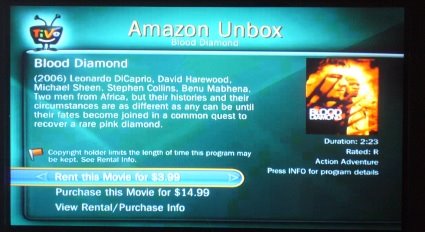
Back to Amazon. The other day my cat unplugged one of my TiVos and I missed an episode of Chuck. Remember the days of looking for friends who recorded stuff? I could've found it online in various ways for free, but it was convenient to just browse for it on Amazon Unbox via the TiVo, from my couch, and order that missing episode just like that. Worth the $2 for savings for my time and hassle.

Early in the year, I cancelled my Netflix subscription which I was never using, because of Amazon Unbox. I don't want to watch video on my PC, either. Now that Netflix and TiVo finally get their act together on streaming, I'll probably check that out over the holidays and see what it's like in terms of content amount and quality of streaming experience.

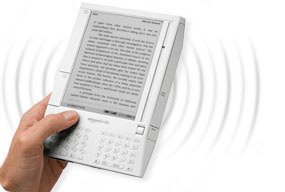
Gadget Two: This year I also got the Kindle, Amazon's ebook reader. In a year in which I got a new GPS, a Wii, an Ipod Touch, an eeePC, a new laptop from Dell, and a treadmill - this is hands-down my favorite new toy. Especially since I did a lot of international travel this year. I love that I can bump up the font, and read it in bed one-handed. The physical industrial design has gotten a lot of internet flack, but it does what it needs to do just fine. The book and blog experience are terrific, especially for fiction and feeds without too many pictures and long articles. (Pictures don't render fast or well on the b&w e-ink display.)

A typical Kindle set of experiences, which I can personally vouch for:

  • A list of Best Books of 2008 from Amazon editors' top picks -- I'm not so convinced by some of the capsule reviews, but hey, I'll send free initial chapters to my Kindle to check out! In a couple clicks, I've got 8 books to try out.
  • I read and like the first few chapters of one, so when I get to the last Kindle page, I click on "Order this book now." It checks that I'm not making a mistaken click, I confirm, and it downloads in seconds. Hooray! No regrets.
  • Make to Stick keeps getting good press among recent business books. I'm not willing to take up room on my increasingly groaning shelves if I can get this by Kindle - and yep, I can! Sample checks out as actually interesting, I can now read it as one of my background non-fic reads.
  • A friend recommended the Dresden Files books; earlier this fall I got hooked on the bad but addictive Twilight series. These literary wonders-- and more importantly, their sequels-- can be had by Kindle without driving to a store or waiting for mail to come. One click from a late night bed and I can keep reading.
  • I owned The Diamond Age in paper form but did get around to reading it. It's long and the font is small. You know what -- I read it by Kindle instead, since the font can be jacked up to a more reasonable size and carrying it doesn't require muscles. I also own the wonderful Jonathan Strange and Mr Norrell in hardcover, all 1000 pages of it. I will not have to carry THAT around again, I'll be able to read it on the Kindle next time. Er, no, it seems I can't yet - so I'm clicking that link on the left side of the page requesting it be made available by Kindle format. Same for Foucault's Pendulum!
  • I can't keep up with long blogs, or most blogs anymore. But I sure can read Cognitive Daily and MIT Tech Review and a few others by Kindle, when I have a spare minute for the short stuff.
  • Cory Doctorow and a number of other writers are making free ebooks available for their stuff. Cory's "Little Brother" got raves this year. I loaded it on my Kindle by USB cable.
  • Fanfiction - in a moment of weakness on a business trip, I started reading fanfic again, after a few years off. I can send PDF's and Word docs to my personal Kindle address, without having to even plug it into my computer. Yeah, I suppose you could use that feature for something worklike, too. It's unfortunately convenient. There is a LiveJournal community all about this fanfic-on-Kindle habit.
  • I like switching between genres and books and being able to bookmark pages, save clippings for later blogging, etc. I used the "lookup word" function a ridiculous number of times while reading The Diamond Age. It was all that Victorian English.
  • I don't love the web browser "experimental" functionality - it's slow by phone WhisperNet, but it will do in a pinch! I can read my twitter feed on it. I once settled a discussion of what the male version of "ballerina" is using my Kindle from a wireless-free zone of Northern Maine on a bird watching trip.
  • Tom Disch, a poet I liked reading on LiveJournal, killed himself this year. In a sad weekend, I copied and saved all his journal poems into a Word document and loaded it onto my Kindle. Now I can kind of keep him around.
  • Free ebooks... Manybooks is one site, and if you load this Feedbooks guide, when you click on any of the contained book title links, it will automatically download the whole thing to your Kindle. I got myself a bunch of old Rafael Sabatini adventure novels for one trip this way.

I could go on. The Kindle has something to do with me starting to read a lot again, like I used to as a kid. There are some minor negatives, like slow page turning (I would NOT use it for holding reference books), but nothing that overwhelms the good. I still order paper books, and always will; but I have a house busting at the seams with bookcases, and carrying them around isn't always convenient.

The combination of a very long battery life, and small form factor, WhisperNet with excellent Amazon shop experience and sample chapters, make the Kindle way more than the piece of white plastic a lot of people dismiss rather easily. I wouldn't get a Kindle if you expect great web connectivity, a multi-app computer experience, or a backlight... but get it if you read a lot of popular books, and especially if you travel a lot.

In sum, Amazon can take my money, for books and movies. Thanks, Amazon!